
DIGITAL BUDGET BOOK 2.0
Redesigning a govtech financial report publishing platform that drove 12% customer growth.
Digital Budget Book is ClearGov's flagship publishing platform for local governments. When we started the redesign in late 2023, version 1.0 was functional but limited. Clients were asking for modern collaboration tools and streamlined workflows.
Working with Product Management, Engineering, and Customer Success, we redesigned the platform from discovery through launch and post-release optimization. The result: a 12% increase in customer growth for the product and a platform that saves local government staff hundreds of hours per budget cycle.
My Role: I worked as the senior product UX/UI design lead in close partnership with Product Management and Engineering. That meant conducting research with local government clients, facilitating alignment workshops, designing the interface, and testing solutions through launch and beyond.
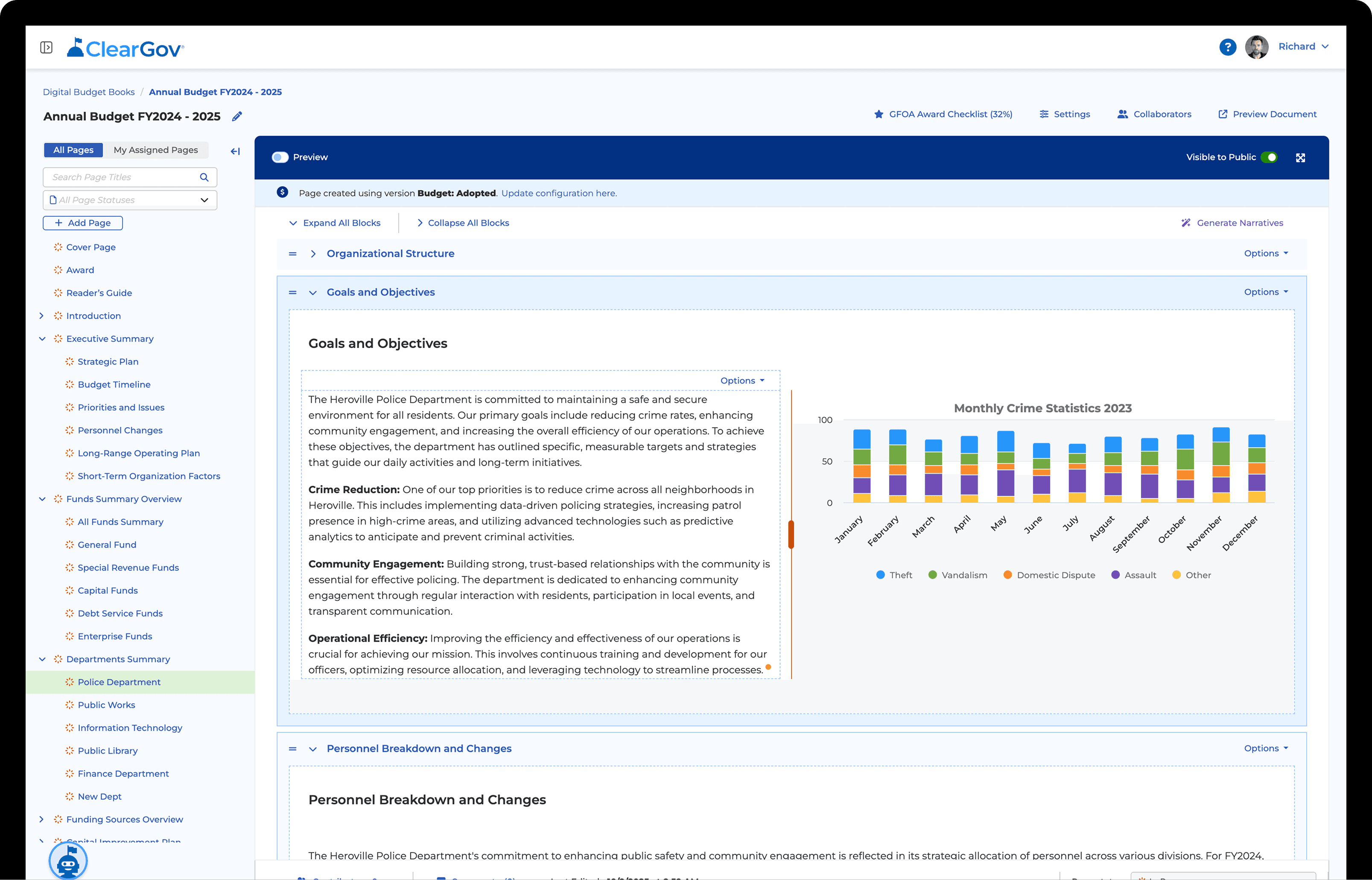
Overview
Digital Budget Book helps local governments create budget presentations for public transparency. When we started the redesign, version 1.0 was functional but clients needed more. They needed modern collaboration, better customization, faster workflows.
From late 2023 through mid-2025, I worked as the design lead in close partnership with Product Management, Engineering, and Customer Success. That meant conducting research with government clients, facilitating alignment workshops, designing the interface, and testing solutions through launch and beyond.
The launch changed how clients work:
12% increase in customer growth (2025 vs. 2024 baseline)
25-point improvement in overall user satisfaction (June through December 2025)
Built-in alignment with GFOA award criteria (FY2025+ requirements)
Foundation for new bundled sales strategies
Successful platform transition for 100% of legacy users
The result: a platform that saves government staff hundreds of hours per budget cycle and significantly improved user satisfaction.
12%
Customer Growth
2025 vs 2024
25%
Higher User Satisfaction
Jun–Dec 2025
Approach
We evolved the platform through three overlapping phases: Discovery, Design Alignment & Delivery, and Iteration.
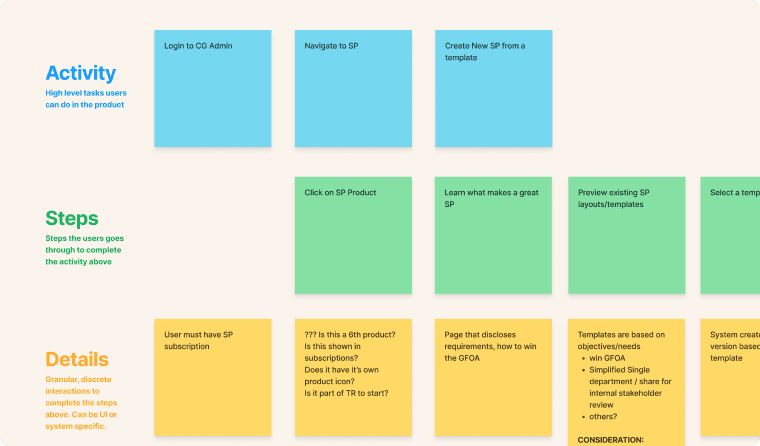
Discovery: Learning What Clients Actually Needed
Conducted nearly a year of pre-launch research with Product Management, Client Success, and Engineering
50+ client interviews analyzing legacy DBB 1.0 pain points
Competitive analysis of government platforms (OpenGov, Tyler) and consumer tools (Wix, Canva, Webflow)
Methods: Contextual inquiry, Lean UX Canvas, surveys, usability testing at multiple fidelities
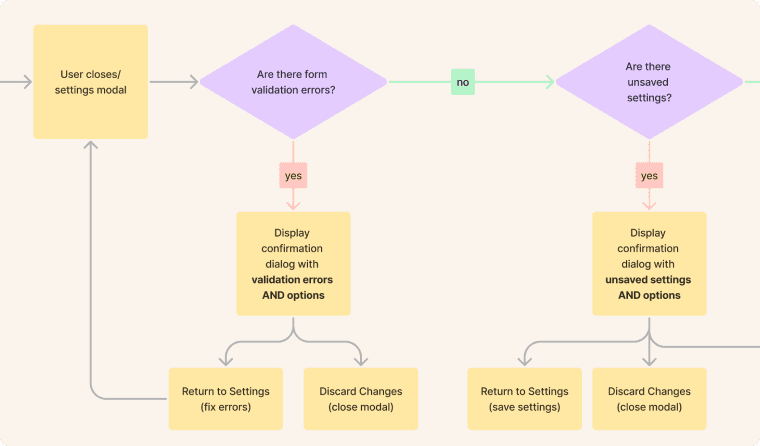
Design Alignment & Delivery: Facilitating Decisions Across Teams
Facilitated 40+ alignment sessions and workshops across Product, Engineering, Customer Success, Sales, Marketing, and C-suite
Designed and delivered product experience in close collaboration with Product Mangagmenet
Navigated complex decisions: platform architecture, multi-product ecosystem strategy, legacy content migration, AI tool integration, GFOA/ASBO compliance
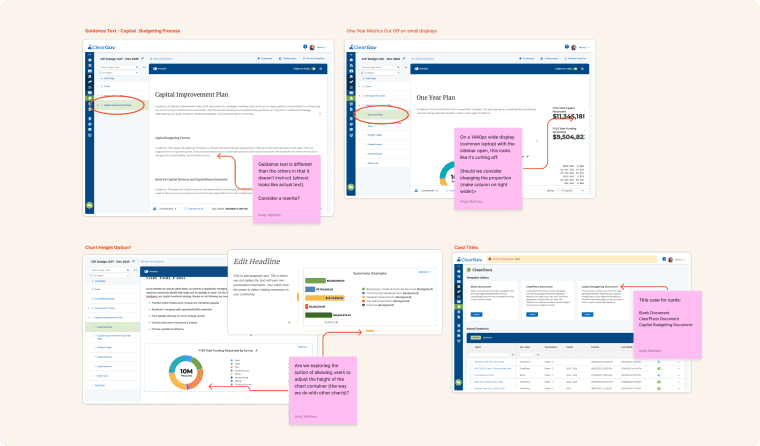
After Launch: Iterating Based on Real Usage
Partnered with Product Management and Customer Success post-September 2024 launch
Analyzed usage data: adoption scores, feature engagement, drop-off points
Iterated designs based on client feedback and usage patterns
Validated changes through client testing
Key Insights
Through our research (client interviews, competitive analysis, usability testing), we learned three things that changed how we approached the platform.
Budget book creation isn't linear. It's collaborative chaos.
Through client interviews and surveying, the team discovered that building 400+ page budget books isn't a linear process. Multiple staff members jump between sections simultaneously as data becomes available.
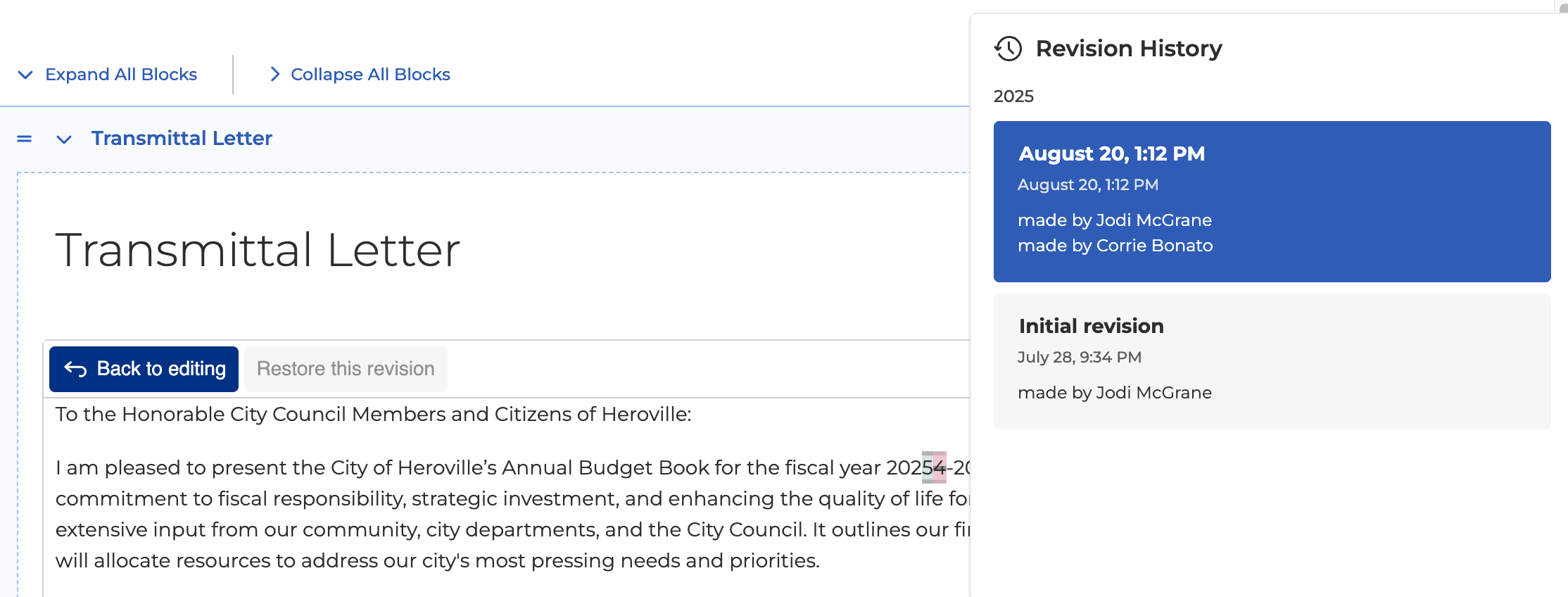
The team designed collaboration features to turn that chaos into coordinated teamwork. Page assignment, revision history, and status tracking. Multiple stakeholders could contribute simultaneously without losing track of progress or stepping on each other's work.
Customization Paradox: Freedom Within Guardrails
We learned users wanted flexibility but lacked design expertise. Financial presentations must meet GAAP/GASB compliance and WCAG 2.1 AA accessibility standards. Giving total freedom would produce poorly designed books that undermined credibility or violated legal compliance.
We created smart defaults for casual users with advanced controls tucked away for power users, all within compliance guardrails. Non-designers could create professional, compliant output without overwhelming complexity.
From Days to Minutes Through Intelligent Automation
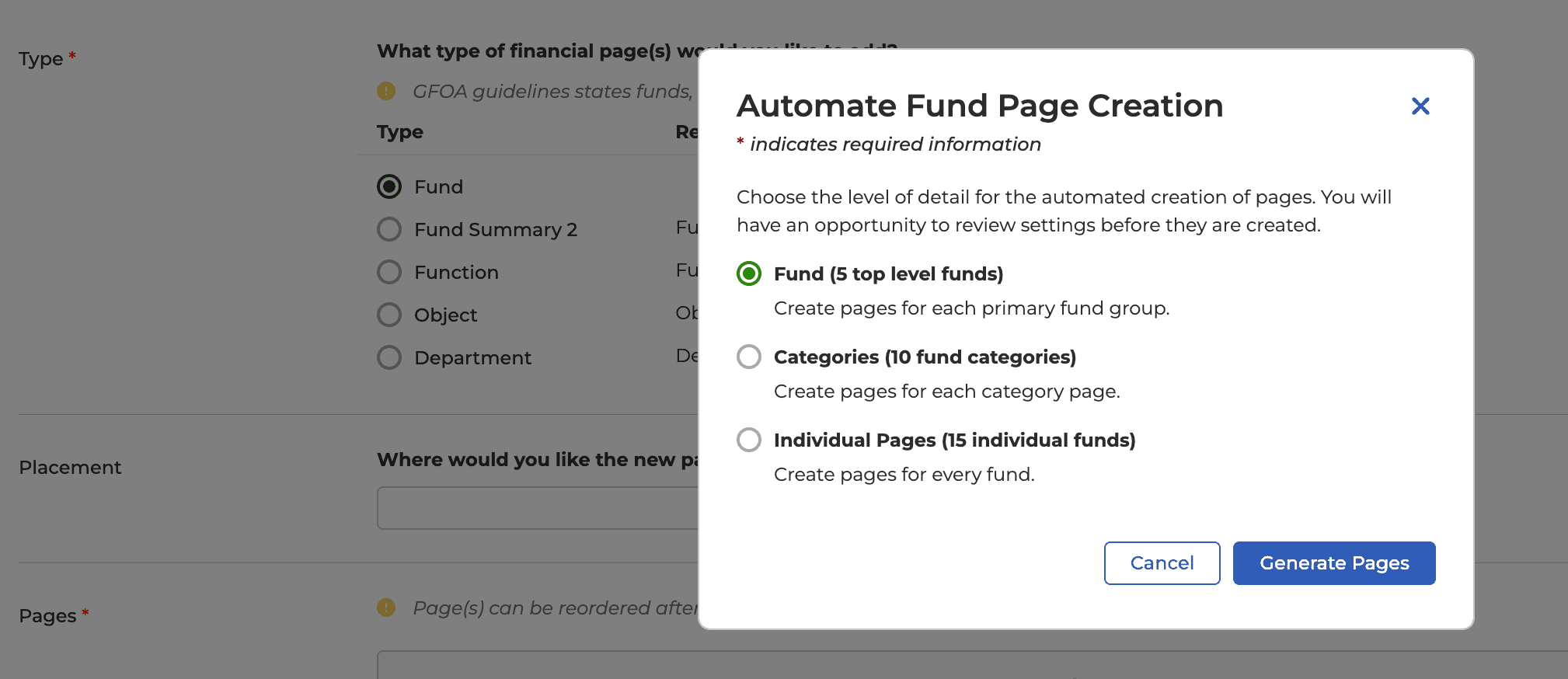
We learned that building large page budget books manually took weeks and months. Creating department pages, formatting charts, updating tables as data changed. Through smart automation (auto-generated templates, AI-assisted narratives, data-driven charts), we could cut that timeline dramatically. But users needed control, not just speed.
Working with Engineering, we designed automation with transparency and override options. Templates generate automatically but remain editable. AI tools include confidence indicators and preview modes. Users save hundreds of hours per budget cycle while maintaining professional standards and control over final output.
Design Solutions
From Research to Execution
Feedback from DBB 1.0 users showed two clear problems: staff spent weeks manually assembling budget books from disconnected data sources, and collaboration meant endless email chains with constant version control issues.
When we looked at other publishing platforms, most either oversimplified (limiting what users could customize) or overcomplicated (steep learning curves). We designed DBB 2.0 to hit the middle: collaborative workflows that preserve the government-specific formatting requirements while eliminating the manual assembly work.
Local government staff can now create budget books collaboratively instead of manually. They save hundreds of hours per cycle and produce more accurate results.
Multi-Format Publishing Engine
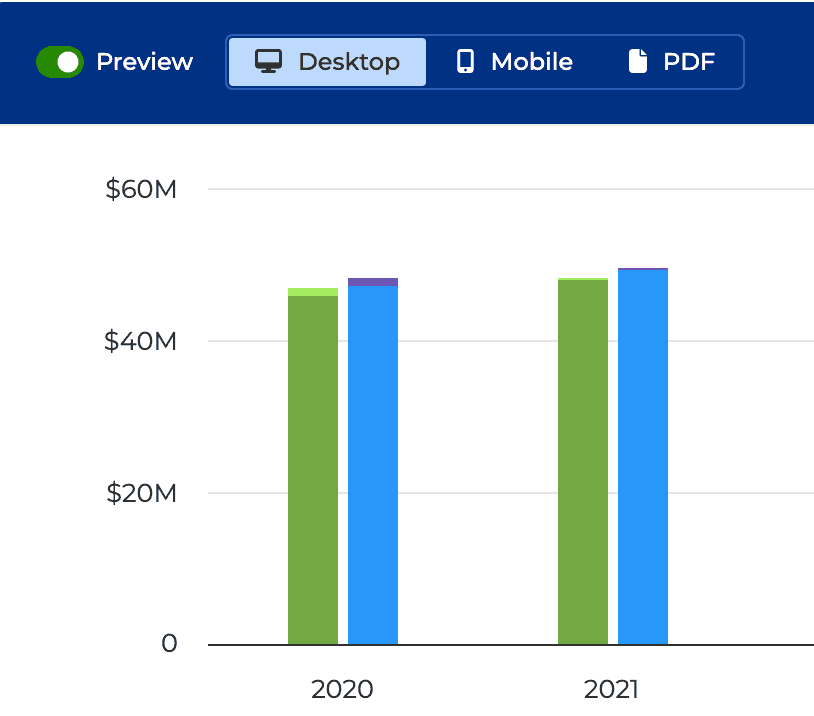
Governments needed both an interactive website (ADA-compliant, mobile-responsive) and downloadable PDFs, but maintaining both separately was time-consuming and error-prone. We designed a canvas that generates all three outputs from a single source.
ADA/WCAG Compliance Guardrails
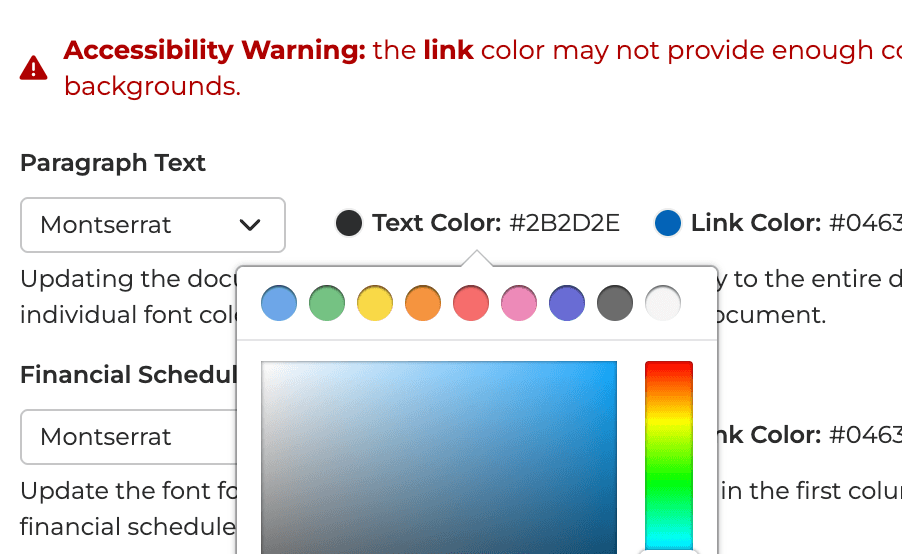
Government entities legally require ADA/WCAG 21 AA compliance, but users needed customization freedom. We built intelligent guardrails into the platform.
Collaboration Workflows
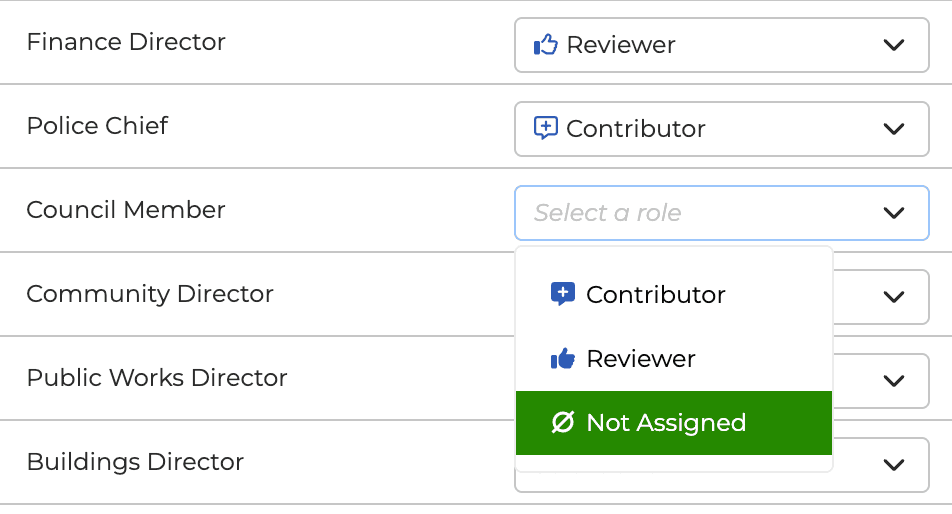
Budget book creation involved multiple staff jumping between sections simultaneously. We designed page assignment and status tracking that turned chaos into coordinated teamwork.
Interactive Checklist & Guidance
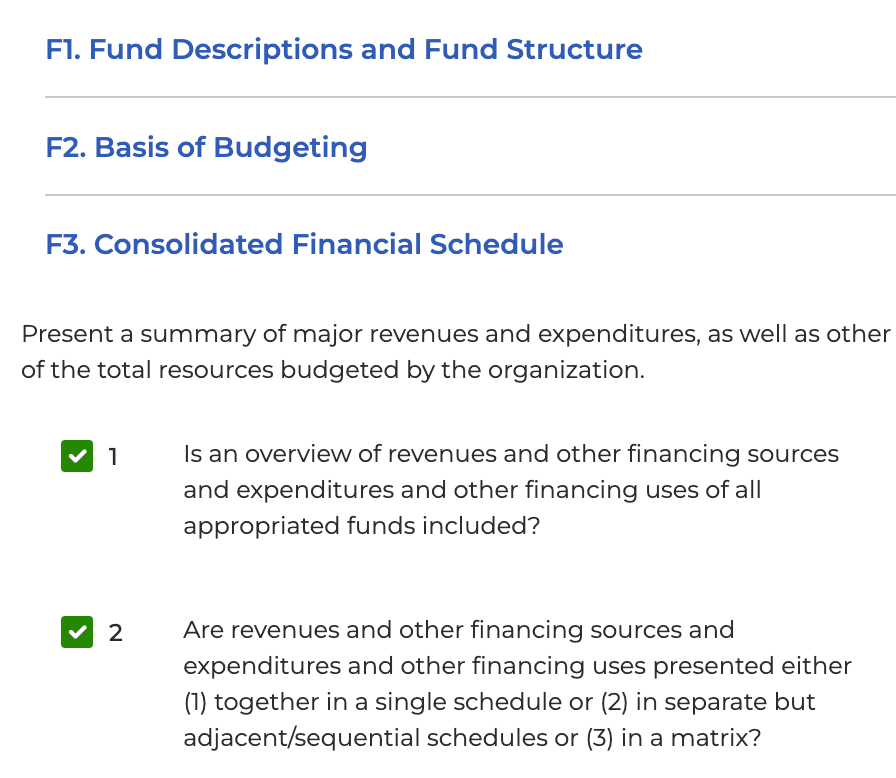
Many clients aimed to win the prestigious GFOA Distinguished Budget Presentation Award but were not always meeting criteria. We designed an interactive checklist purpose-built for GFOA requirements that guides users through compliance standards.
Migration Assistance
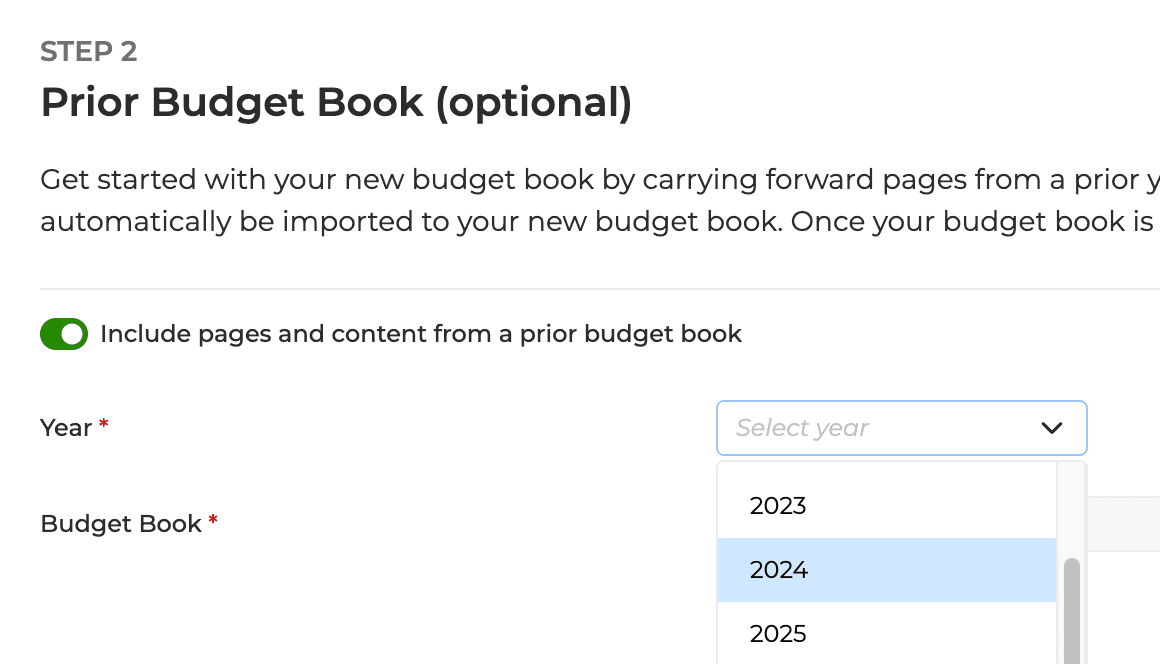
Users had past years of curated narrative content in legacy DBB 1.0 and wouldn't migrate if they had to recreate from scratch. We designed a migration tool that seamlessly moved narrative content into the modern interface.
Advanced Settings Controls
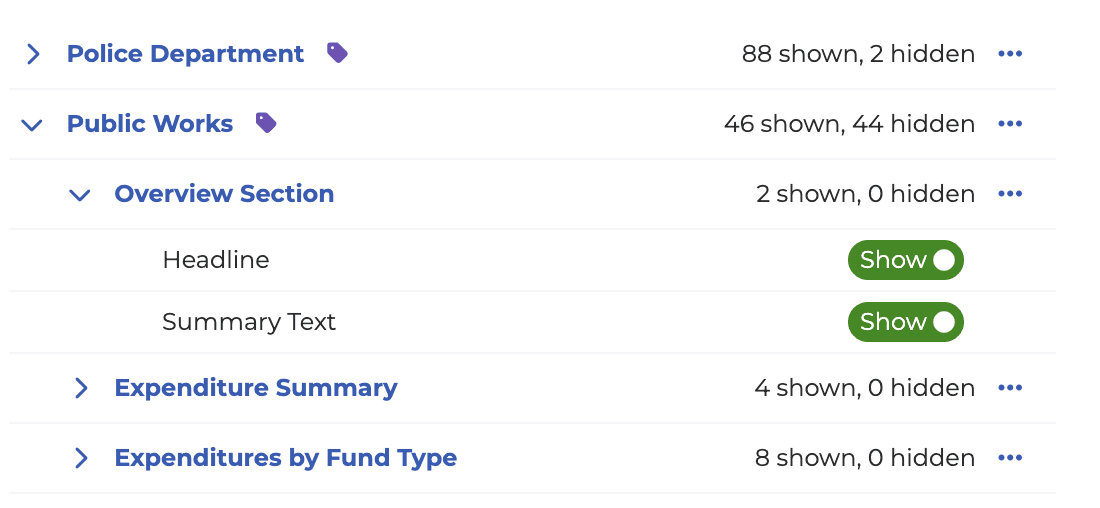
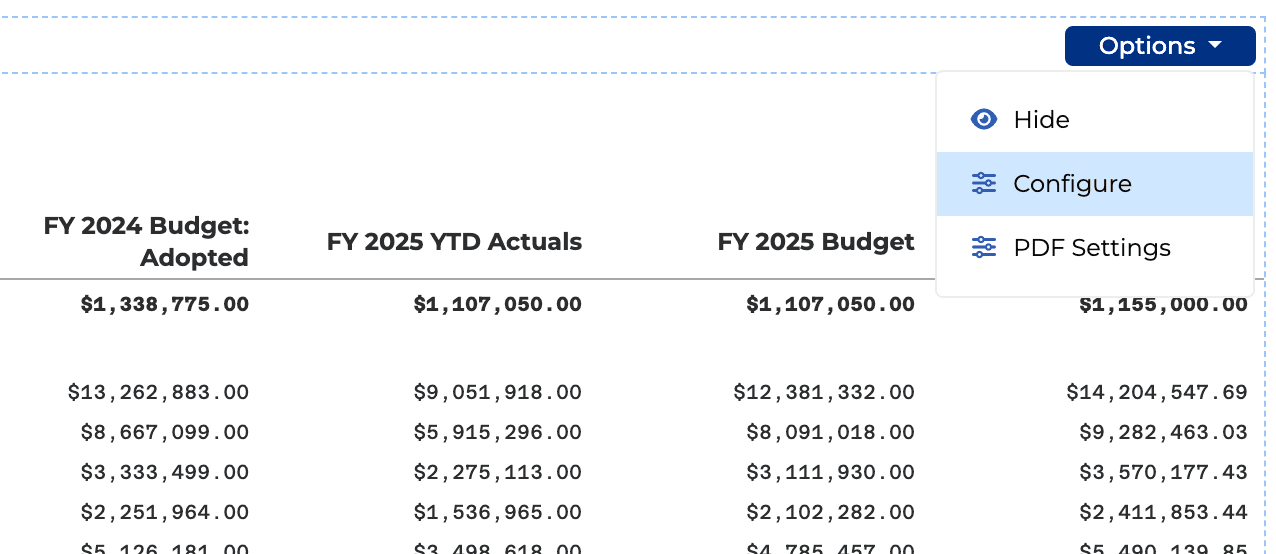
Users needed identical formatting across multiple repeatable sections (Comprehensive Fund Summary, Revenues by Function, Revenues by Object, etc.), but manually configuring each was hours of tedious work. We designed advanced settings controls that apply chart styling, narrative layouts, and presentation rules to individual pages or entire sets with a few clicks.
Outcomes & Impact
The September 2024 launch changed how clients work. Local government finance and budgeting teams now save hundreds of hours per budget cycle, and ClearDocs users are winning GFOA awards at record pace.

"The manual process was honestly a nightmare. With ClearGov we were able to fulfill our commitment to process improvement, transparency, and better community engagement."
Tony Struck
Budget Director
Yuma County, AZ
"ClearGov is an absolute no-brainer. This is an extremely well-built and user-friendly tool. If you are producing a manual budget book, this should absolutely be your last year."
Melissa McCaw
CAO & Finance Director
East Hartford, CT

"My favorite feature is the ability to make slight budget changes, save it to the Digital Budget Book, and have those changes be live in a few seconds."
Larry Dougher
Chief Financial Officer
Windsor Southeast Supervisory Union, VT
Learnings
This project taught me things I wish I'd known at the start. Here are three lessons that changed how I think about platform design work.
1.
I'd start with observation, not just interviews
We relied on what clients told us. But watching them work in their environment would have surfaced pain points faster. The chaos of multiple people jumping between Excel files, manual copy-paste, version confusion. Those nuances don't always come through in interviews. Next time: spend time in their workspace before sketching solutions.
2.
I'd research the full content lifecycle, not just creation
We focused on the creation experience but didn't dig deep enough into what happens after PDF export. How it gets shared in board meetings, emailed to stakeholders, archived for compliance, revised annually. PDFs and websites contain identical content but have vastly different distribution patterns. Earlier research into post-publication workflows would have influenced export options, metadata, and version tracking features.
3.
Facilitation methods should evolve with team understanding
Early in the project, we needed structured workshops to build shared vocabulary. As the team developed intuition for government workflows and technical constraints, our facilitation evolved. Later sessions became rapid design reviews rather than lengthy alignment exercises. I learned that rigid process adherence can slow momentum once foundational understanding exists. The process should serve the team, not constrain it.