AI-AUGMENTED DESIGN PRACTICE
Building an AI-augmented design practice: learning what works through continual learning and experimentation.
AI is part of my daily workflow, and has fundamentally changed how I work and learn as a designer. I use it for research synthesis, ideation, and prototyping. I've designed AI features that shipped to production and I've helped teams adopt new methods as I learn more.
Philosophy & Approach
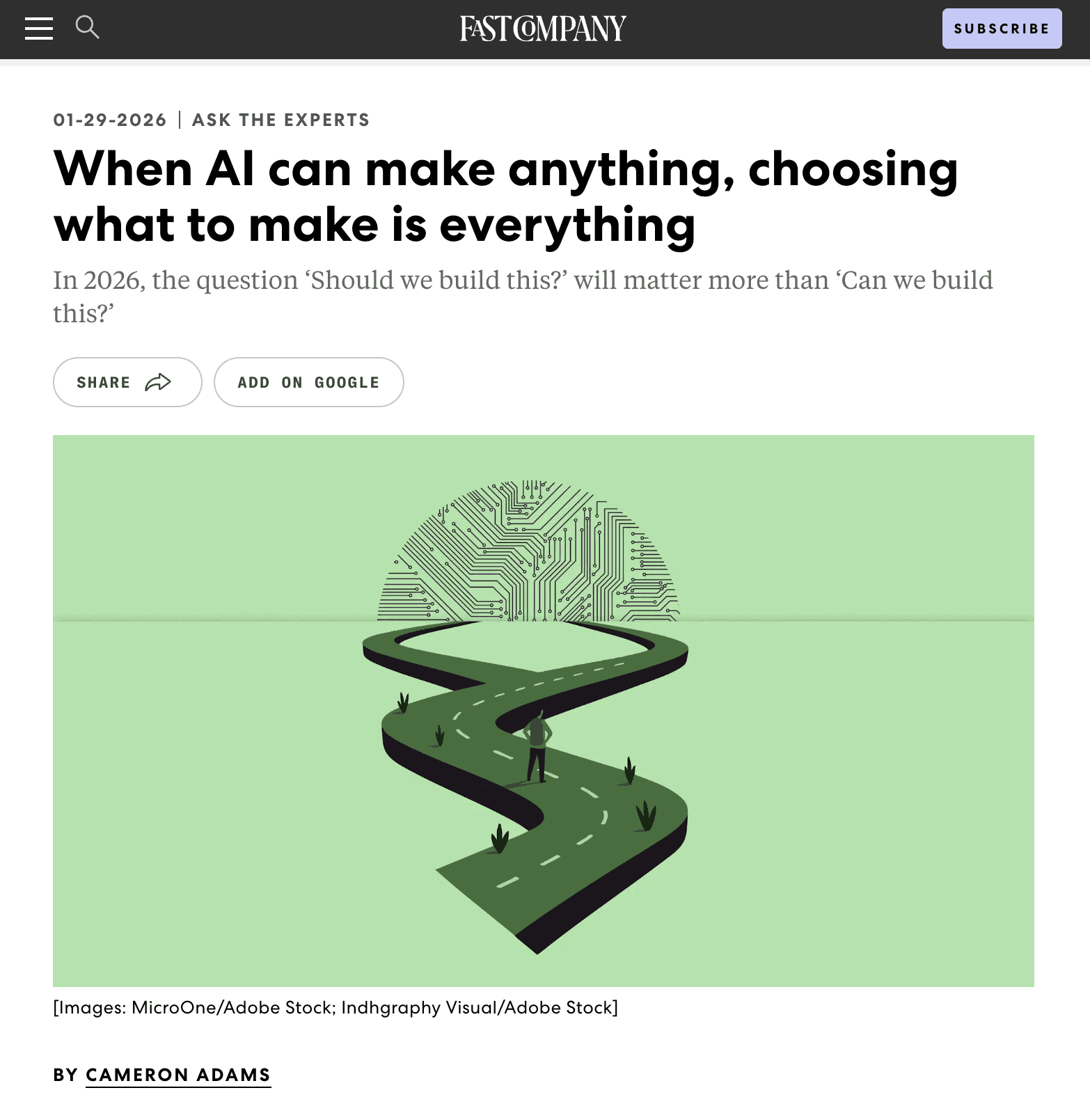
When AI can make anything, choosing what to make is everything.
That's not just a line from Fast Company (January 2026). It's become my operating principle. AI is now part of every project phase, but not because it replaces thinking. Its role in acceleration is real. But the calls that require experience, perspective, and craft stay with me.
I don't hand things over to AI cold. Once the germ of an idea is formed, once it's sketched in my notebook, once I've formulated goals and expectations, I'm ready to move into a collaborative process. From there, AI helps with:
Pattern recognition and analysis across complex problem spaces
First passes at research planning and UX writing
Workflow exploration that used to take days
Ideation in areas where I'm still building skill (e.g. motion design)
The crafting elements stay with me. Visual design, design system adherence reviews, collaborative feedback with real users and stakeholders. Those still need human refinement and perspective.
The Homogenization Risk
AI pattern matching leads to sameness. Not just visually. The real risk is LLMs making generic decisions on mental models, interaction patterns, and workflows. They're are often focused on specific use cases and personas out of the box. This is were the human in the loop guidance and experience is most critical.
Shipped AI Projects
I've shipped AI features to production, built internal tools that improve team process, and used AI to prototype faster and test smarter. This section shows how that plays out in real projects.

AI Chat for Digital Budget Books
Local government finance is a trust environment. A chatbot that hallucinates erodes public confidence in the institution itself, not just the software.
The hypothesis was straightforward: residents shouldn't have to navigate 400+ pages of financial documents to get a question answered. But designing a conversational AI that government clients would actually trust meant identifying every place it could go wrong first.
We used Gemini Deep Research to synthesize market intelligence on public sector AI risk, which surfaced the failure modes we needed to design against: hallucinations, source verification failures, statistical integrity issues, and out-of-scope political questions.
Every design decision centered on verification and transparency. The citation system links responses to exact source pages with the section highlighted. The chatbot stays persistent in the sidebar so users can jump between citations without losing the conversation thread.
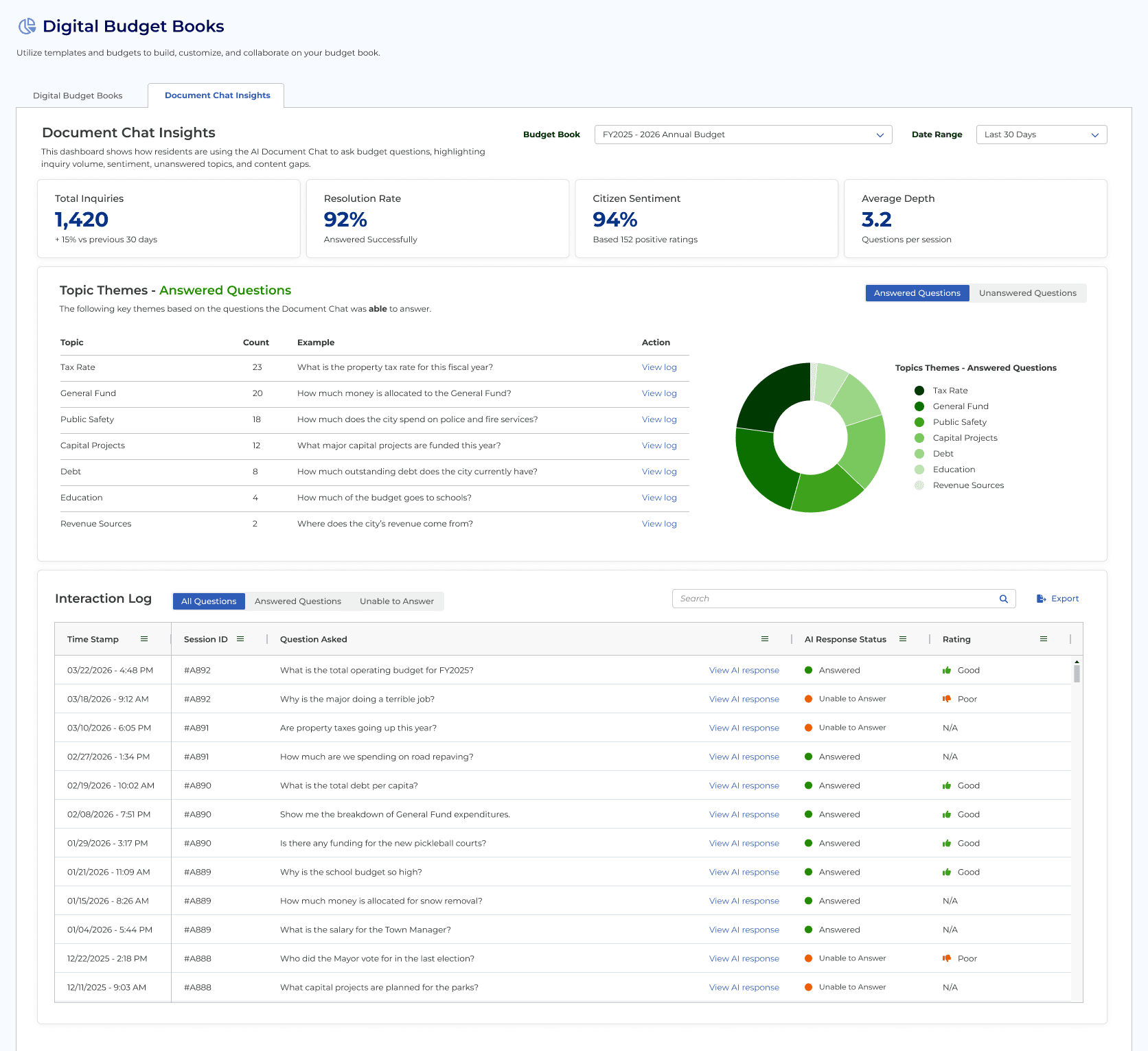
I also led the design of the Document Chat Insights dashboard. Government clients needed visibility into what residents were actually asking about. The dashboard tracks usage patterns, question themes, accuracy metrics, and sentiment analysis. It gives Finance Directors and Town Administrators data they can use to understand community concerns and adjust their communication strategies. It also became a feedback loop for improving the AI's performance.

UX Research Advisor App
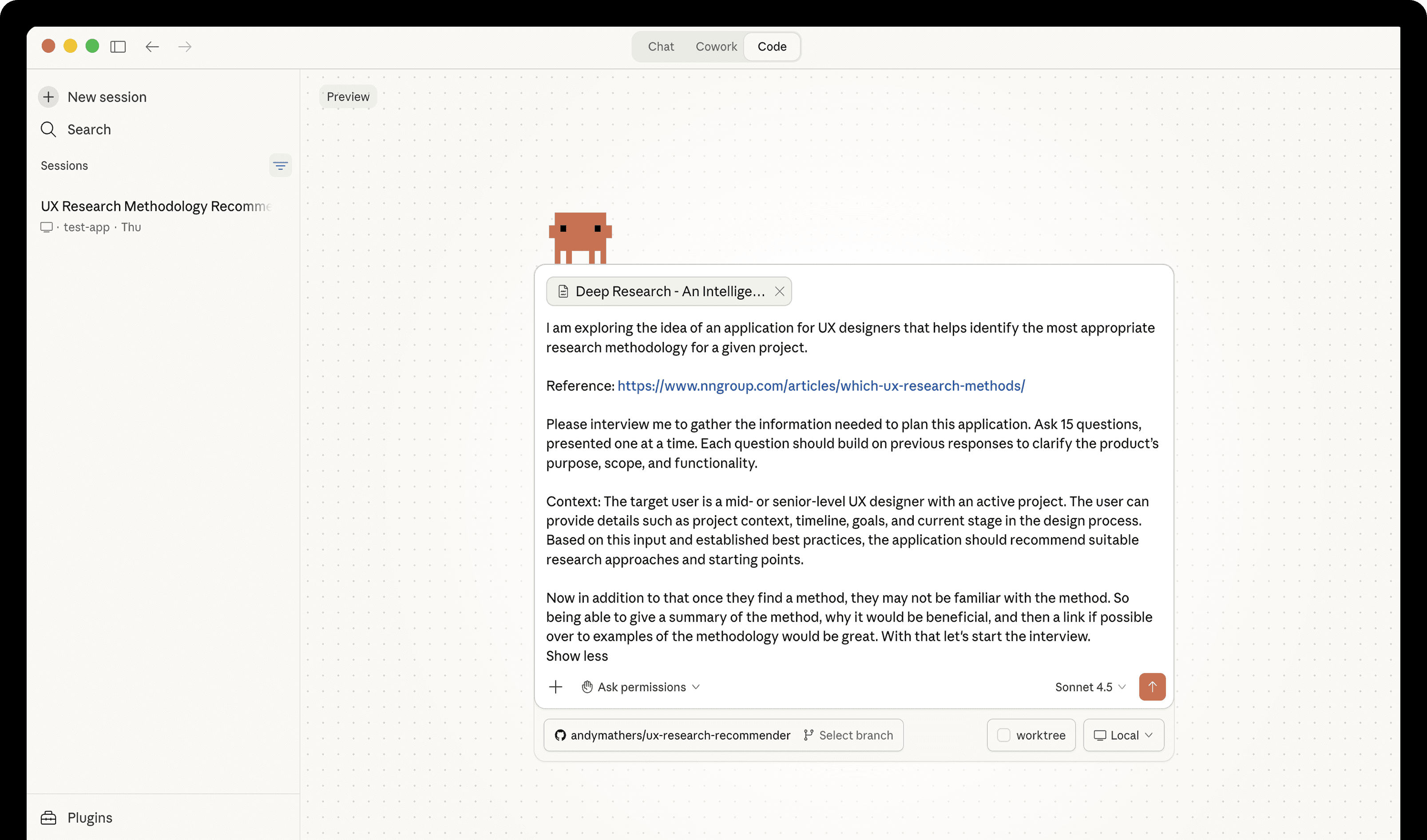
An internal tool I built for the ClearGov design team using Claude Code.
Challenge: designers often default to familiar research methods instead of choosing other methods that may be more effective. How can we quickly recommend valid, project specific alternatives?
The tool asks three focused questions about project type, urgency, and research goal, plus optional context. It confirms its understanding, then returns ranked recommendations from Nielsen Norman Group's 20 UX research methodologies. Each recommendation includes an explanation of why it fits the specific project, with a direct link to the NN/g resource.
The app is available for initial project planning. It's a small tool, but it shows something I care about: using AI to improve how I work, not just the output.

Budgeting Workflow Prototypes
ClearGov needed to validate two complex workflows before finalizing design and committing to backend development.
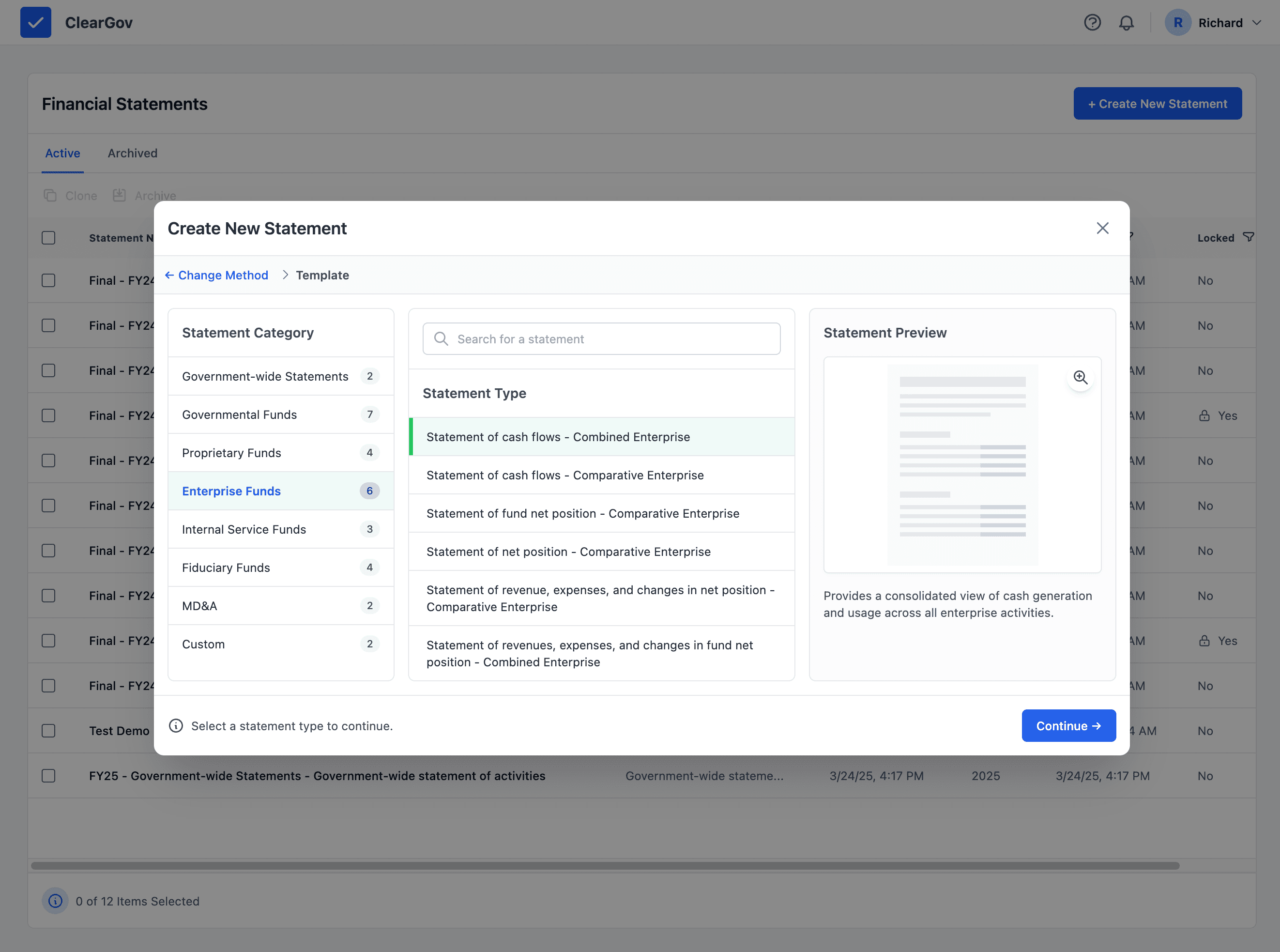
We used Google AI Studio and the Gemini API to build high-fidelity prototypes in React/Tailwind that we could use to circulate to internal team members for input and test with clients for quick feedback.
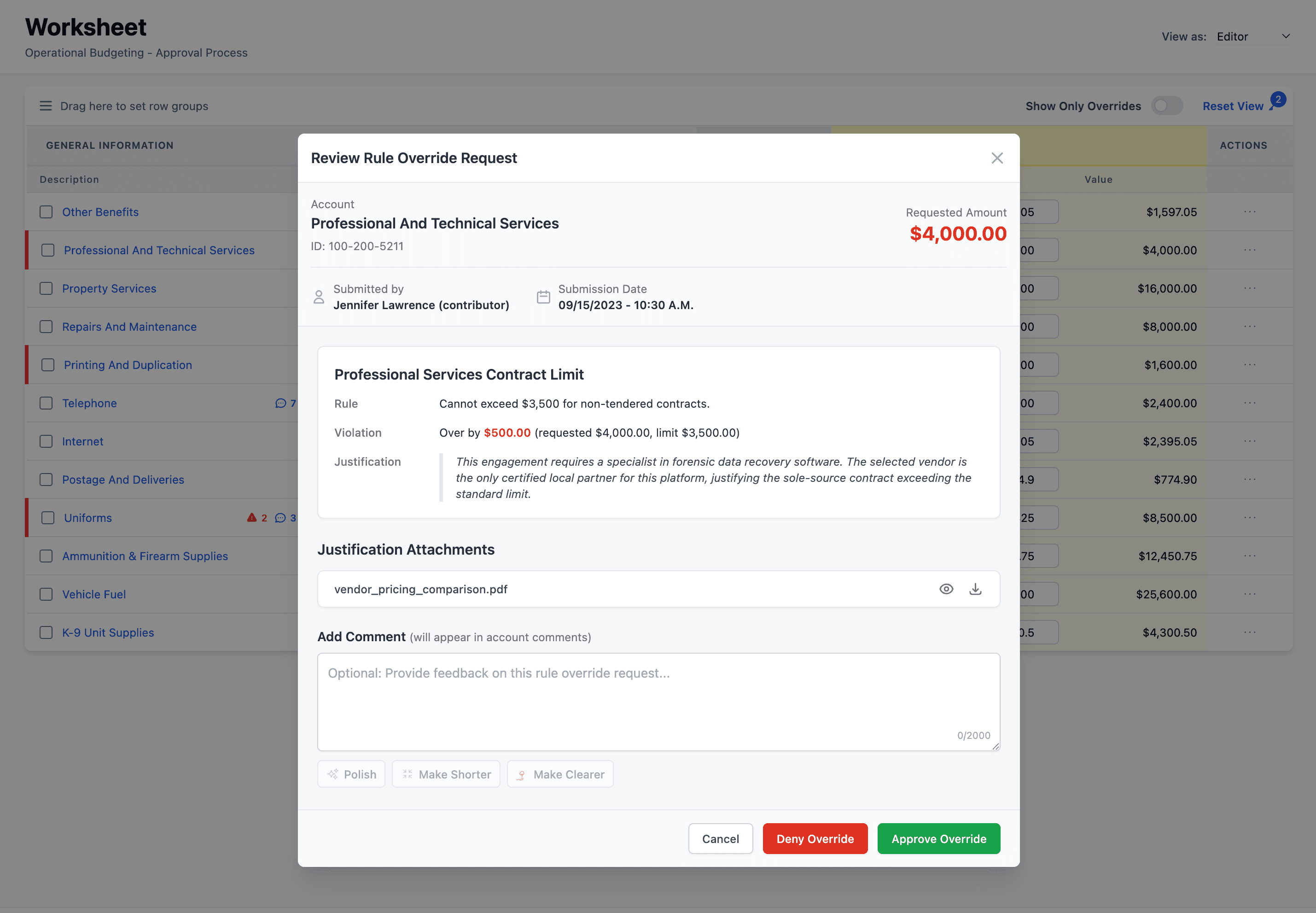
The first was an AI-assisted justification workflow for Operational Budgeting. When analysts violate a soft budget rule, they need to explain why to approvers. The prototype helped users draft and polish that rationale before it reached the approval chain.
The second was a Financial Statement Builder. AI extraction pulls structured data from uploaded PDFs, with confidence scoring and a human-in-the-loop validation wizard so users can review and adjust before anything is committed.
Both prototypes surfaced edge cases and cross-functional dependencies we wouldn't have caught otherwise.
That's the value: test the hard stuff, get team and user feedback quickly to determine next steps.
Tooling, Process & Learning
Discovery & Learning
When I'm learning a new problem space, AI accelerates synthesis. Six hours of manual analysis becomes 45 minutes of structured insight.
Google Gemini - broad research, competitive analysis
NotebookLM - user research synthesis, pattern identification
Claude Deep Research - market intelligence
Granola/Fathom - meeting transcripts, stakeholder interview analysis
Planning and Definition
Long projects need persistent context. I build AI working partners that understand the full scope, not ad-hoc prompts that start from zero every time.
Claude Projects - strategic process and project planning, context management
Gemini Gems - custom AI assistants for recurring planning tasks
Gemini - collaborative planning when Google Workspace integration matters
Ideation & Experimentation
Speed matters when testing assumptions. AI lets me explore more variations faster and test at the right fidelity for the question.
Google AI Studio - rough concept passes, testing variations
Claude Artifacts - wireframes, flow diagrams, Mermaid charts
Claude Code + Figma MCP - high-fidelity prototypes using real design system tokens
Vercel + GitHub - deployed prototypes for client testing